
 Home
Home Sign in
 Bitcoin price
 Ethereum price
 Cardano price
 Chainlink price
 Solana price
 Uniswap price
 Avalanche price
 Wallet
 Fees
Fees Exchange
 Business
 Luno API
 Discover
 Help Centre
 Status
 Company
 Careers
 Press
Press


Luno’s new proof of reserves, now with Merkle Tree functionality
 Team Luno
Our customers should always feel confident that all of their crypto investments are held securely. That’s why Luno has teamed up with leading accounting and business firm Moore for our new and improved monthly proof of reserves report. With Merkle Tree functionality and monthly verifications, this new report gives customers even more transparency around their investments than ever before.
Why a Merkle Tree?
Merkle Tree is a data structure used in computer science and cryptography to help verify large datasets, including cryptocurrency transactions made on the blockchain. It is a tamper-proof way of proving that a certain piece of data is included in a set of data, without revealing the entire set of data. So you can have peace of mind that your crypto investments are held securely, without sacrificing privacy
How does it work?
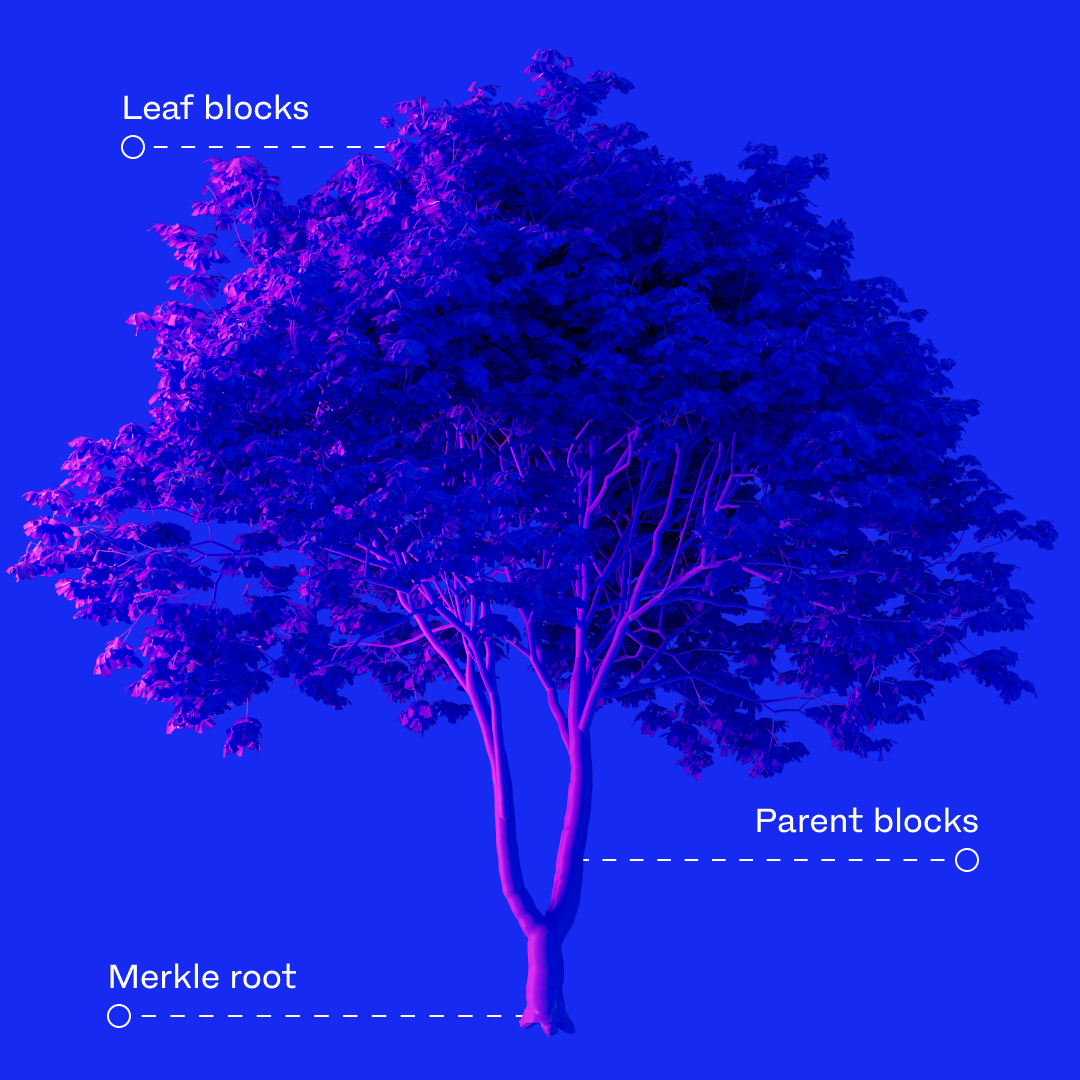
Imagine a tree. At the root of this tree is a block containing a summary of everything that grows from it, making it easier to check if everything is correct.
The bottom of the tree is called a “merkle root”, in the middle we have “parent blocks”, and finally the “leaf blocks”. Here’s what each of them means:
- Leaf blocks: leaf nodes represent small chunks of data, such as transactions on a blockchain.
- Parent blocks: these are made by combining pairs of leaf nodes. The leaf nodes’ hash values are combined then hashed again to create a new value. This is done all the way up the tree until we reach the Merkle root.
- Merkle root: a merkle root represents the entire dataset. It is the single hash value that can be used to verify the integrity of the entire dataset.
How do I access the proof of reserves report?
The report will only be available on the Luno website, you cannot access it through the app. Viewing the report and using the Merkle Tree function is easy. Head to the Luno website and follow these steps:
Viewing your proof of reserves
- Sign in to your Luno account and go to Profile
- Select Proof of Reserves
- Choose which month’s report you want to view
Verifying your proof of reserves report
- Copy either the Hashed User ID or the Merkle Leaf
- Select the SELF-VERIFY ON TRUSTRESERVE button
- You’ll be redirected to a verification widget on Moore’s trustreserve.co website
- Select the My Account tab on the widget
- Paste in your Hashed User ID or Merkle Leaf in the relevant field
- Select Check My Account
Luno’s proof of reserves is executed by Moore Johannesburg.
This information is not intended to be nor does it constitute financial, tax, legal, investment or other advice. Before making any decision or taking any action regarding your finances, you should consult a qualified Financial Advisor.
Did you find this useful?